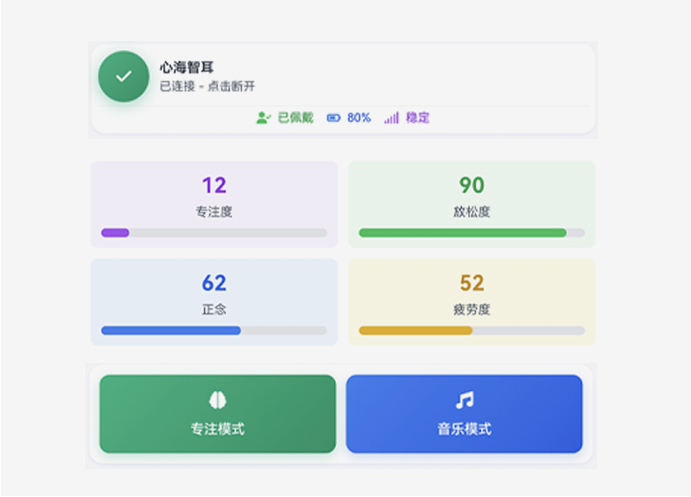
Supports device connection/disconnection. Tap to search for nearby devices and select one to connect.
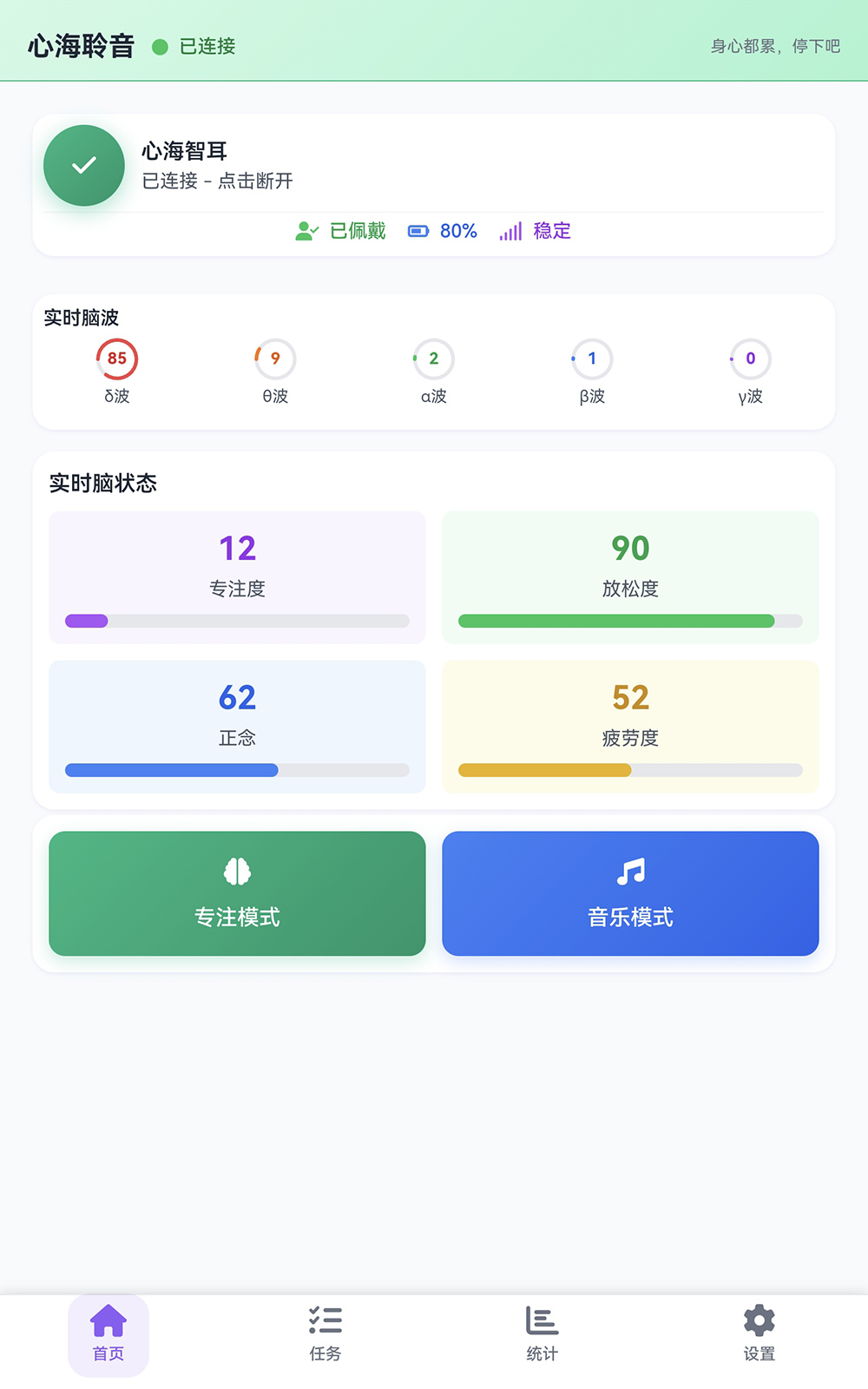
1.Supports device connection/disconnection. Tap to search for nearby devices and select one to connect. Tap again when a device is already connected to disconnect from the current device.
2.Real-time device status display (worn, battery 80%, stable signal), ensuring normal coordination between the device and the software.
3.Brainwave Acquisition — real-time monitoring of 5 categories of brainwaves: δ wave, θ wave, α wave, β wave, γ wave (e.g., current δ wave 85, θ wave 9, etc.), covering brain electrical activity under various states.
4.State Analysis — converts brainwave data into 4 intuitive state indicators (Focus, Relaxation, Mindfulness, Fatigue) through built-in algorithms (e.g., current Focus 12, Mindfulness 62, etc.), displayed with progress bars to show state intensity.
5.Provides two scenario-based functions — Focus Mode and Music Mode:
Focus Mode: detects the user’s degree of focus by combining brain state data;
Music Mode: helps regulate emotion or state through music adapted to the brain state.
6.Bottom navigation bar — Home, Tasks, Statistics, Settings — supports switching between task management, data statistics (view brain state history), and software settings modules.
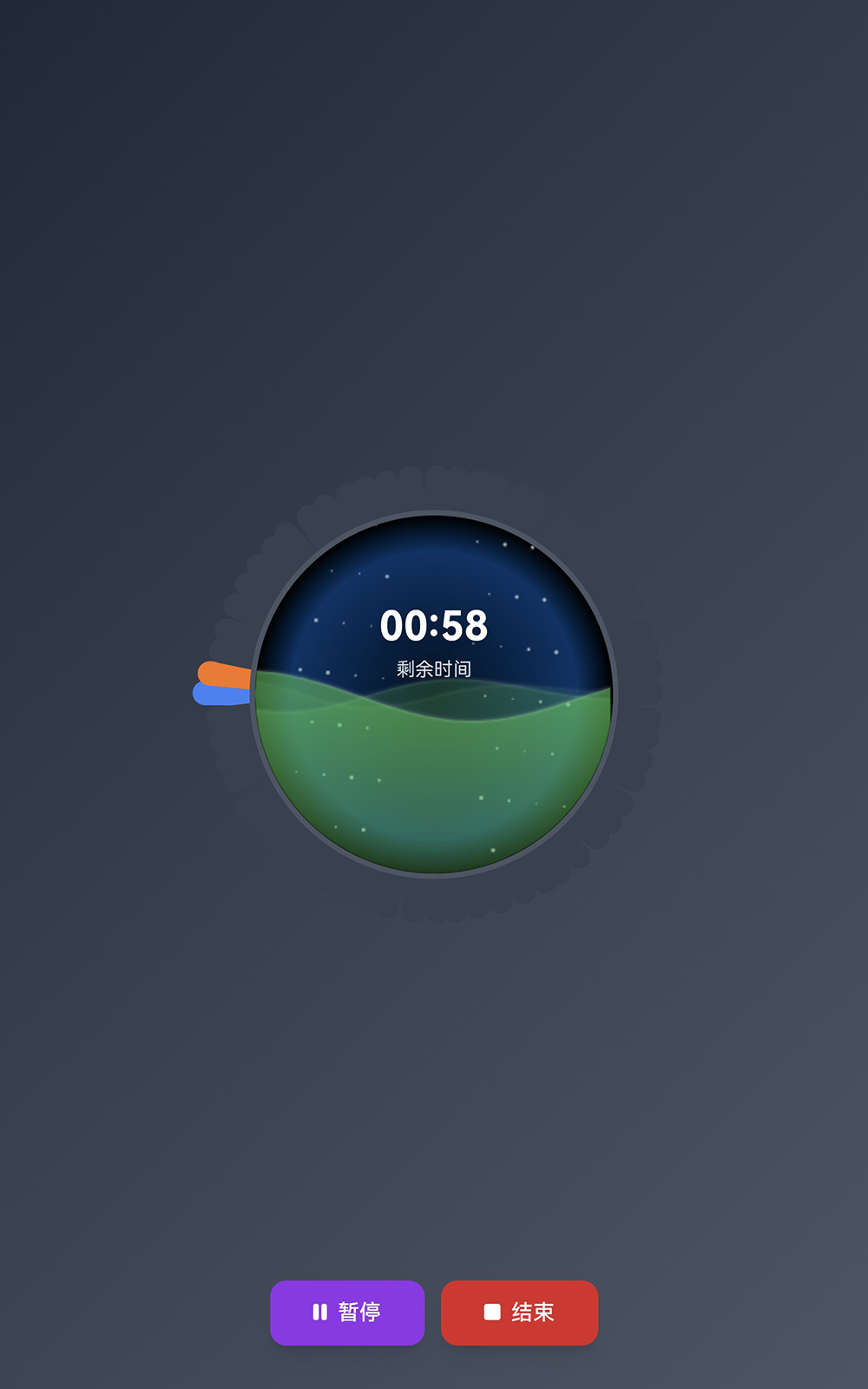
This image shows Focus Mode.
1.Countdown — displays remaining time (e.g., 00:58), clearly showing the progress of the current focus task.
2.Focus Visualization — intuitively displays focus level through progress bars (orange, blue, etc.), with background animations enhancing immersion.
3.Operation Controls — provides Pause and End buttons, supporting flexible interruption or termination of the current focus task.
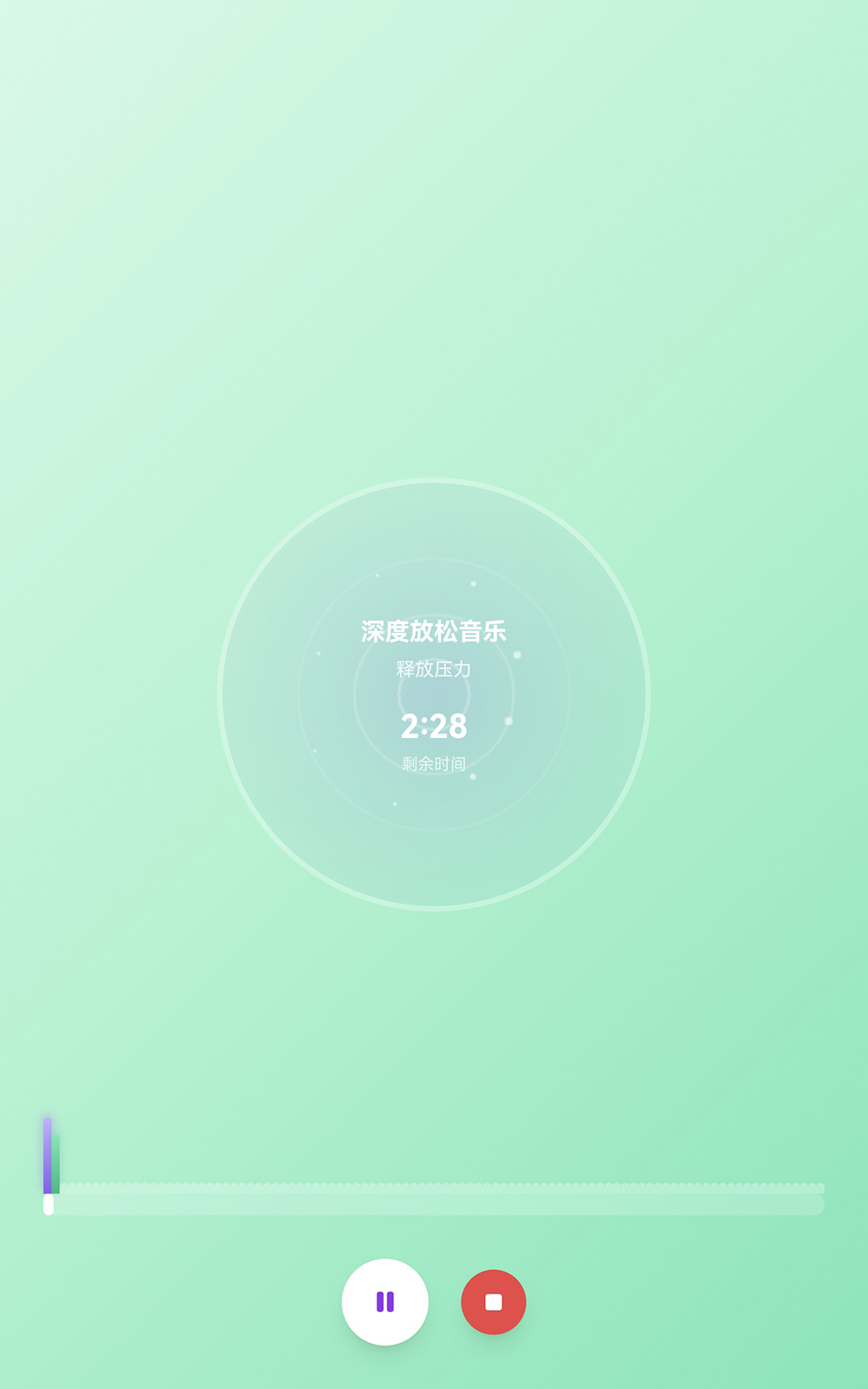
This image shows Music Mode.
1.Music Mode offers three music healing modes (emotion regulation, relaxation, focus enhancement). Each mode plays corresponding music (e.g., the relaxation mode plays deep relaxation music to help users relieve stress).
2.Relaxation Visualization — displays relaxation level through progress bars (blue, green, etc.), with background animations enhancing immersion.
3.Operation Controls — provides Pause and End buttons, supporting flexible interruption or termination of the current task.
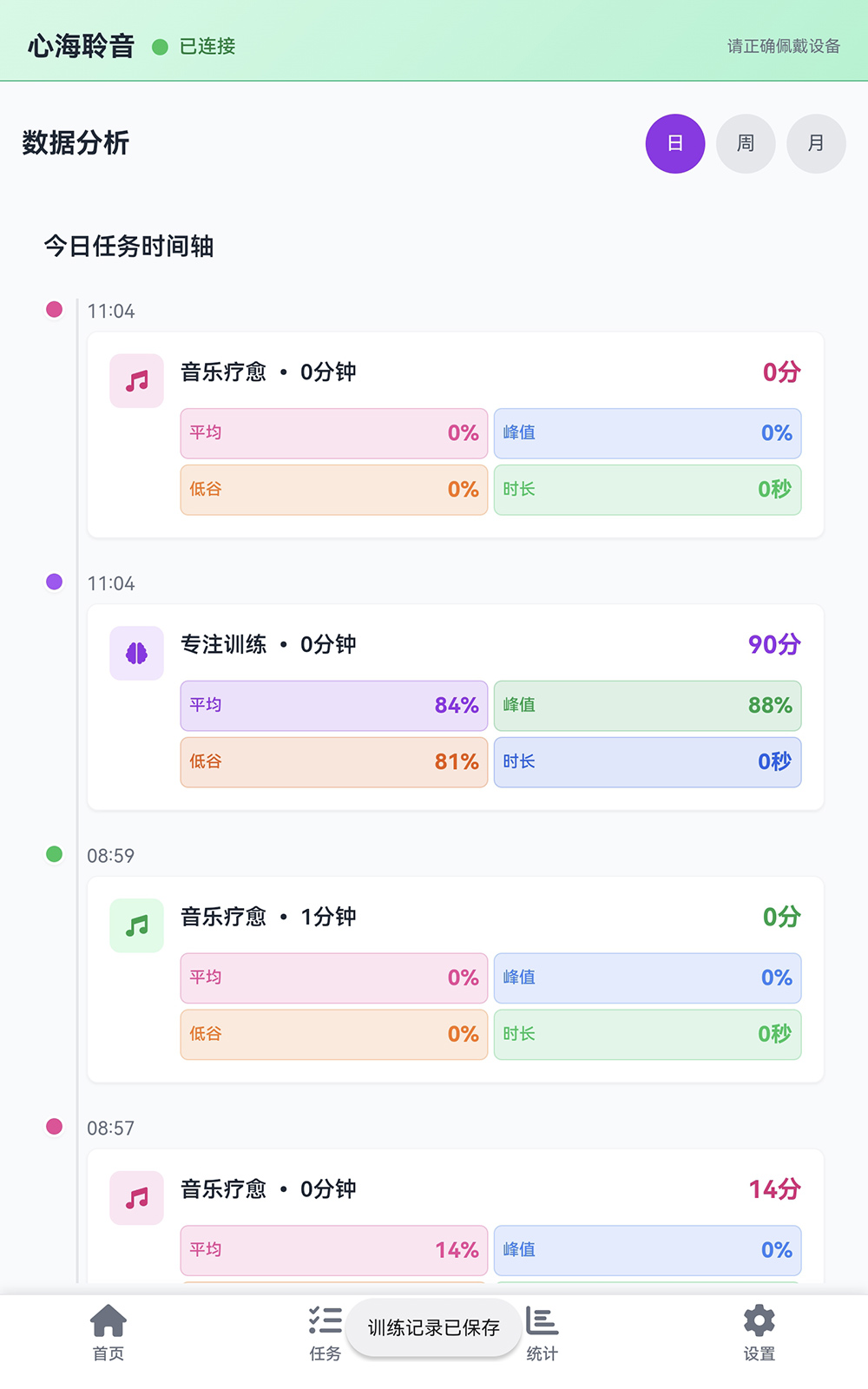
Tap Statistics in the bottom navigation bar to enter the data analysis interface.
1.Task Record Display — presents each training session (e.g., music healing, focus training) in a Today Task Timeline format, showing basic information (task type, duration) in chronological order.
2.Training Data Statistics — for each training task, displays corresponding state data (average, peak, low), as well as actual training duration, helping users understand their performance in each session.
3.Time Dimension Switching — supports viewing training data across different periods (day/week/month) to meet varying statistical needs.
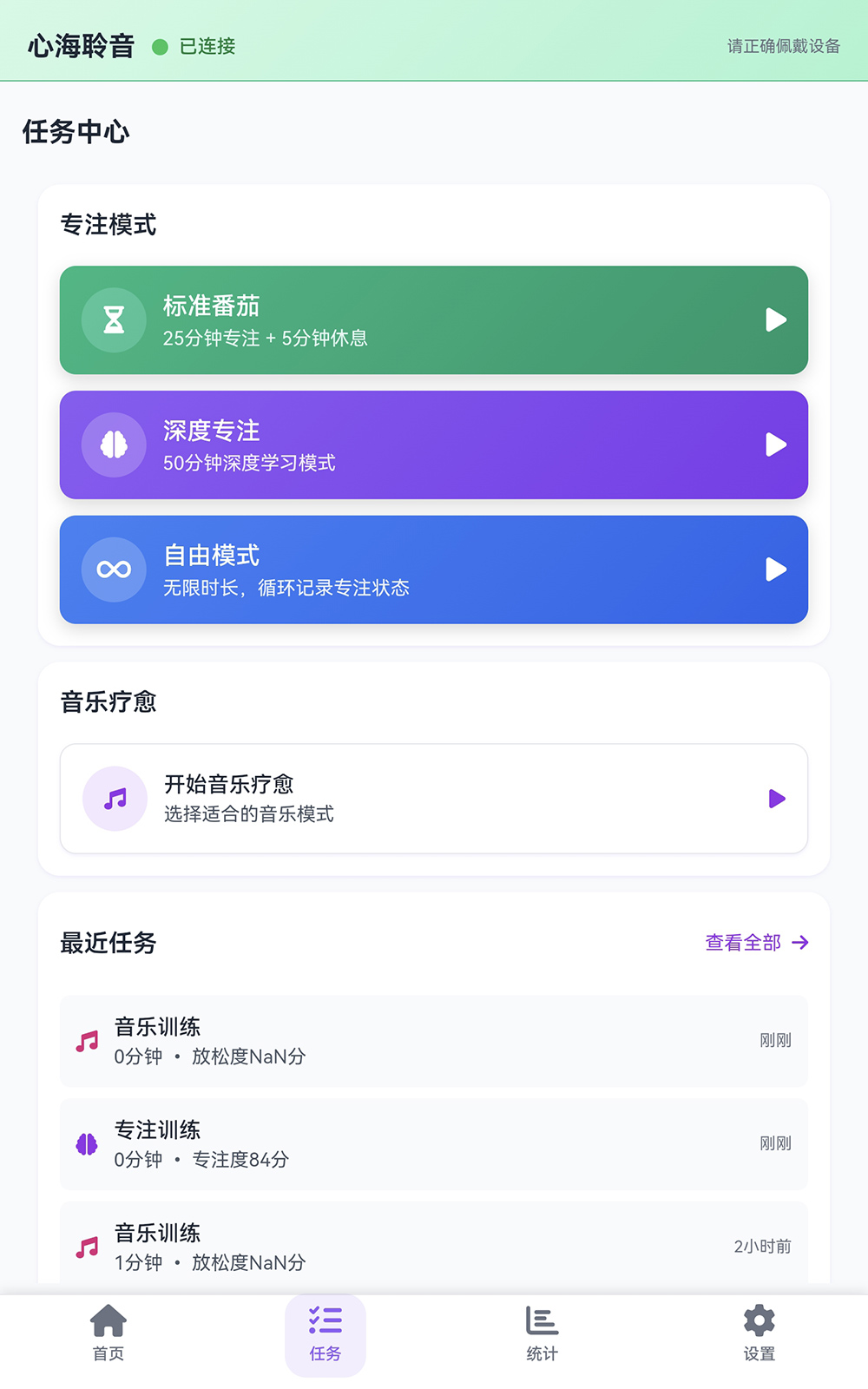
Tap Tasks in the bottom navigation bar to enter the task interface for task selection.
1.Focus Mode — offers 3 focus task options with different rules:
Standard Pomodoro (25-min focus + 5-min rest);
Deep Focus (50-min long-duration learning scenario);
Free Mode (unlimited duration, circular focus state recording, flexibly adapted to personalized needs).
Each option can be tapped to start the corresponding task.
2.Music Healing — provides a Start Music Healing entry, supporting the selection of suitable music modes to assist relaxation.
3.Recent Tasks area displays recently completed tasks (e.g., music training, focus training), including task type, duration, state data (e.g., focus level), and completion time, with an option to View All for complete task records.


上海市松江区泗泾镇高技60中心a2